Sunday, June 19, 2011

New Sony Vaio F, S series laptops go upscale

Sony-Vaio-S


Sony laptops generally tend to be particularly good at being two things: big, high-end media experiences, and small, slim executive powerhouses. The new Vaio F and S series laptops, announced today, offer a bit of both for laptop shoppers willing to spend over $1,000.


The 13.3-inch Sony Vaio S series is only .95 inch thick, and also relatively light: just 3.6 pounds, despite having an optical drive. The closest equivalent we can think of is the Toshiba Portege R835. Unlike the Portege, the Vaio S has a higher-resolution display--1,600x900 pixels--and optional discrete graphics. The Vaio S comes with a second-gen Intel Core i7 CPU and optional AMD Radeon HD 6630 Hybrid graphics, and a wide variety of high-end features such as optional Blu-ray, a backlit keyboard, and a face-tracking low-light Exmor-sensor Web camera.


Sony-Vaio-S-White


Meanwhile, the new Vaio F series laptop is a super-size beast that probably won't stray far from your desk. A 16.4-inch, 1080p, 1,920x1,080 display, 3D front-surround Dolby Home Theater speakers, a Blu-ray optical drive, Nvidia GeForce GT 540M or 520M graphics, and the same high-end Exmor-sensor Web camera are part of an attractive package that includes a quad-core second-gen Intel Core i7 CPU.


The look is similar to the new F series laptops we first saw at CES 2011, but at least this 3D-free version costs less than the 3D Vaio F.


The Vaio S series starts at $1,370, and is available in four colors including the newly added pink and blue. A sheet battery for extra charging costs $150.


The Vaio F series will start at $1,100. Both are currently available for preorder on Sony's Web site. Hopefully, we'll have both in for review soon.


Cnet

Sony Xperia X10 Users Finally Get to Taste an Old Eclair, Android 2.1

Sony-Ericsson-XPERIA-X10-Android-Phone Consumers spent Tuesday morning bashing Sony Ericsson and AT&T for announcing today that it has begun upgrading Xperia X10 phones to Android 2.1, or "Eclair"—the version of Android launched in January 2010.


"WOW!!! And you guys are actually excited to announce this. SE has just lost the plot," wrote one user at Sony Ericsson's blog.


On Tuesday, Sony Ericsson announced the manual update to Android 2.1 in a blog post: "We couldn't be more excited to bring you the news we have for you today. After much hard-work, we are happy to announce that the Android 2.1 upgrade will be available for AT&T XperiaTM X10 customers in the US starting Tuesday, May 31. We can't thank you enough for your patience."


The announcement was met with more sarcasm than the usual tech post, with responses like "Thats great news...everybody open up a bottle of campaign (sic) and lets celebrate this!!se you are a joke!!and a bad one!!" and "No wonder why sony always get hacked, good luck with this."


Xperia X10 users in the U.S. have reason to be annoyed. Android 2.1 is a minor platform update that Google launched in January 2010. The update gives Xperia X10 devices 720p HD video capture, multi-touch support, continuous autofocus on the camera, face detection during video capture, and expanded homescreen support. Click here to download instructions for manually upgrading your phone.


Sony Ericsson can't be blamed entirely for the holdup. In fact, it first announced the upgrade last November for users in Europe and Australia. AT&T had "no comment" on the U.S. delay.


According to Android Developers' May stats, only 24.5 percent of all smartphones still run Android 2.1, a vast improvement from last November when the figure was 77 percent. Since then 70.2 percent of all smartphones have been upgraded to Android 2.2 (Froyo) and above.


In the U.S., the Xperia X10 series launched in August through AT&T and with an outdated version of Android, 1.6.


PCmag

T-Mobile releases Samsung Exhibit 4G, Gravity Smart

type='html'>

Samsung_Exhibit_4G Just a day after it announced release dates for the HTC Sensation 4G, T-Mobile is back for more Android fun with the new Exhibit 4G and Gravity Smart. Both smartphones carry a budget price tag and will be out in June.


The Exhibit 4G sports a slim candy bar design in violet or black. The touch screen takes up most of the real estate leaving space below for three touch controls and a physical OK button. You'll use a virtual keyboard with Swype for your typing needs and it all runs on Android 2.3 Gingerbread.


Inside you'll find a 1GHz processor, a 3-megapixel camera with a flash, a front-facing VGA shooter for self-portraits and video chat, Wi-Fi calling, a full HTML browser with Flash, a memory card slot, USB tethering, and support for T-Mobile's HSPA+ network. When you're not being productive, you can watch live and on-demand programming from T-Mobile TV, download movies and TV programs from the Samsung Media Hub, and play preinstalled games like Bejeweled 2, Scrabble and Doodle Jump.


Samsung_Gravity_Smart The Gravity Smart is the first Android handset in Samsung's Gravity series (previous models like the Gravity T ran Samsung's TouchWiz OS). It offers a slider design with a full QWERTY keyboard hidden behind the front face. The keyboard includes a decent selection of shortcut keys (colored in green) and a convenient space bar. The 3.2-inch touch screen also offers a virtual keybaord with Swype.


Features on the Froyo 2.2 device include a full HTML browser, a 3-megapixel camera with a LED flash, a personal organizer, messaging, e-mail, a music player, the usual Google features, and access to apps through the Android Market.


The Exhibit 4G will be $80 after a $50 mail-in rebate and two-year contract. The Gravity Smart will sell for $70 after a $50 mail-in rebate and a two-year contract.


Cnet

Wednesday, June 15, 2011

Zoom ZDTV Wireless Keyboard review

Small and lightweight, the Zoom ZDTV Wireless Keyboard is designed specifically with media-centre enthusiasts in mind. Merging a laptop-style keyboard with a small, multitouch-capable touchpad, it’s small enough to live with your other remotes without getting in the way.


As with most wireless peripherals, the ZDTV connects to your PC via a small USB dongle, and we were able to make it work successfully from a distance of up four metres. That’s pretty good, making it practical to use in all but the largest living rooms. Alas, the ZDTV doesn’t keep up the good work.


The keyboard itself both looks and feels cheap. And while the compact size may at first seem a good idea, we feel that Zoom has taken this a step too far. The smaller-than-netbook design has severe implications for ease of use, rendering typing at speed impractical, and requires your full focus at all times to avoid spelling mistakes.


Zoom-ZDTV-Wireless-Keyboard


The touchpad is equally small, and thus difficult to operate. You often have to remove your finger from the unit and reposition, before continuing to scroll across the screen. However, doing so results in jumpy and skittish behaviour from the mouse, causing navigation to be far trickier than it ought to be.


As a keyboard intended for media-centre use, the lack of multimedia hotkeys is also disappointing. Similarly priced units offer volume rockers among a slew of other media-based controls, yet the ZDTV Wireless Keyboard offers only four – one of which is a branded hotkey, launching proprietary software that’s of very little benefit, and entirely riddled with adverts.


Although compact, then, this isn’t a keyboard we’d recommend. It’s fiddly to use, build quality is suspect and it lacks essential features. Considering the numerous alternatives available at this price and cheaper, the ZDTV Wireless Keyboard is a bitter disappointment.


Author: Andrew Eldridge
PCPro

HP Mini 110 review

If you’re not concerned with looks or fancy extras, your eye may be drawn to the HP Mini 110. At only £216 inc VAT complete with Windows 7, it’s cheap even by netbook standards.


At first, it’s unclear why. It’s plain, but the keyboard feels comfortable, with a good solid base and a light, crisp action, and the keys are nicely spaced. The touchpad is responsive and predictable, and there’s nothing major missing in terms of ports: the Mini 110 has an SD/MMC slot, three USB 2 sockets and even Bluetooth.


Examine it more closely, however, and you'll see where the cuts have been made. The core specifications are basic, with a single-core 1.66GHz Atom and Intel’s GMA 3150 graphics. This gave it a score of only 0.17 in our real world benchmarks.


HP-Mini-110


Coupled with the basic graphics, this doesn’t bode well for gaming and video streaming; you can forget all about smooth, full-screen YouTube HD or BBC iPlayer playback.


The 1,024 x 600 matte display can’t match the best either, and its maximum brightness of 220cd/m2 and contrast ratio of 252:1 mean images look wan.


But the HP’s weakest link is its 2,550mAh battery. It lasted a mere 4hrs 35mins in our light-use test.


With that kind of weakness we couldn't recommend the HP Mini 110 outright, but that price means we can't write it off completely. It's a perfectly usable netbook that undercuts the competition, so if all you want it for is basic web browsing, it's not such a bad deal at all.


Author: Sasha Muller
PCPro

iPad 2 case review: Speck FitFolio offers multiple functionalities

With protection from front to back, the Speck Fitfolio can keep your new iPad 2 safe and sound. This form-fitting case is easy to use and can be set in many functional positions.


To put you iPad 2 in the case, you’ll need to first align all the ports to hard cover interior. Then just snap it in place. It’s as simple as that.


There are cutouts for all the ports. The cutouts also make it easy to get to all of the buttons without much trouble.


Folio. The Speck FitFolio, as the name suggests, can be nicely used as a folio for your iPad 2. It covers both the front and back of your new device and looks highly elegant and professional.


There’s also a handy bungee cord that holds the front cover in place when it’s closed, or secures it to the back of the case when it’s open. This works very nicely for both landscape and portrait mode. Again, the multiple use for this case is very nice.


Upright positions. The Fitfolio is also a stand for the iPad 2. On the soft interior cover, there are four different indentations that you can place the iPad in, ranging from position angles between 45 to 75. This makes it really handy to watch movies and videos from your iPad 2, or even games.


Typing position. Flip the case around and you got yourself a nice typing stand for your iPad. Talk about universal! To get the case into this position, hold the iPad 2 in landscape mode with the front cover pointing down. Now take the front cover and pull it backwards. Pull the front cover so it meets the back cover and pull the rest of the cover around. This will form a nice pedestal for your iPad in landscape typing mode. This makes it very convenient to type when the iPad is in your lap or on a table.


Overall, the Speck Fitfolio iPad 2 case is slim, form-fitting, and stylish. As an added bonus, it has multiple uses which makes it a nice all-in-one case. Best of all, the Fitfolio protects both the front and back of the iPad and costs just under $40; that’s the cost of just an Apple Magic cover that only protects half of the device.


The Speck FitFolio is available in red, black, and grey.


Beatweek

Saturday, June 11, 2011

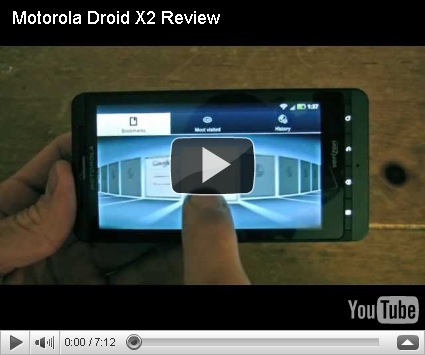
Motorola Droid X2 Review

Motorola Droid X2 Report


The Motorola Droid X2 struck from the middle of nowhere, and we're here to report that this was a worthy surprise. While the phone may appear unchanged on the outside, Motorola has made several tweaks under the hood, including a 1GHz dual-core processor and 4.3-inch qHD screen. Although the 8-megapixel camera remained unchanged sensor-wise, Motorola improved shot times by adding Continuous Autofocus into the mix, though we didn't see 1080p video recording this time around. As Verizon's first dual-core phone, the Droid X2 goes head to head with the Motorola Atrix 4G for AT&T and T-Mobile G2x, though you'll notice one crucial spec—the Droid lacks 4G connectivity. Verizon is leaving that to the Droid Bionic, to be released in the coming months, but if you can't wait that long or don't need 4G, the Motorola Droid X2 is a top-notch entertainment powerhouse.


<\/param><\/embed><\/object><\/div>";" galleryimg="no">


Design


The Droid X2 cannot be discerned easily from the original Droid X unless you look super closely at the "2" positioned next to the "X" on the back of the phone. That means the phone rocks the same grippy matte black finish, HDMI terminal, and tangible Menu, Home, Back, and Search buttons. Even the 8-megapixel camera and dual LED flash are located in the same position, and we get the classic half-back panel housing the 1500mAh battery.


But the big news on the design front this year is the X2's 4.3-inch qHD capacitive touchscreen display, which features 960x540 pixels and 16 million colors. This is a 26% pixel increase from the original Droid X, and the phone's screen was noticeably sharper. The Droid X2 also offered a mirror mode that enabled us to connect the phone to our HD monitor via the HDMI port for a supersized view of the phone in action. We couldn't figure out how to transfer sound for video playback and gaming, but hopefully this is an easy fix.


For memory, the Droid X2 is set to ship with a 16GB MicroSD card in its 32GB capacity slot, though we were shipped a device with an 8GB card. In addition to the lack of 4G, the phone suffers from the absence of a front-facing camera, which are two primary factors within the current top crop of advanced smartphones. It was not a hindrance for us because the phone proved itself as an overall powerhouse without the need to video chat or connect to an LTE network. Verizon is leaving that up to the Bionic.


Software and Interface


While the X2's Android 2.2 platform is in the midst of being phased out by 2.3 Gingerbread, users can expect an upgrade within the near future. But the pulsating heart of this speedy phone was its 1GHz Tegra dual-core processor (1GHz at each core). Needless to say, we were able to fly around actions and commands on the X2 without any problems. It bested its predecessor, if you can even believe that, and we never felt the need for more speed. Dual core goodness never tasted so good, and the Droid X2 proved that it could hang with the Atrix 4G and G2x.


In addition to the standard Wi-Fi 802.11b/g/n, Bluetooth 2.1, and 3-axis motion tracking, the phone had DLNA connectivity for wirelessly streaming content to other devices and Micrsoft Exchange support. However, parts of our phone-based browsing experience was not so standard. The dropdown menu was stylishly translucent, our Applications icon was redesigned, and a handy "All Apps" dropdown menu was embedded within the Applications menu, enabling us to view All apps, Recent, or Downloaded. An Android Market shortcut icon also resided in the Applications dropdown menu, making it easier to download new content. These were subtle changes, but they added to our overall Android browsing experience.


Internet


The Droid X2 handles the Internet flawlessly, as we could pinch and zoom with ease and double-tap to zoom with text wrap in a matter of moments. Thanks to Flash 10 support coupled with dual-core power, videos started right up within the browser and played with perfectly synched audio from the get go. The bookmarks toolbar was also fashioned with individual icons for each page that could be scrolled through much like a refined Camera gallery. Meanwhile, webpage history was clustered into packs that could be "opened" to view all pages from one day in the gallery format as well. However, we would have liked a Refresh, Back, and Forward trio of buttons, as our general browser experience was a bit dry. Hopefully, Gingerbread 2.3 will dazzle this up.


Multimedia and Productivity


There's no doubt about the fact that the Droid X2 is a multimedia powerhouse, ultimately giving the HTC Thunderbolt and Droid Charge some serious competition. Any game we downloaded from the Android Market performed at its peak, whether it was Need For Speed Shift (which came preloaded as a demo), Cordy, Speedx 3D, or Glow Hockey. Framerate and graphics were stellar, and we spent quite some time pushing with X2 to the limits with 3D games (check out demos in our video review). When it came to videos, the phone never hiccupped while playing back YouTube clips in High Quality.


The phone came equipped with a typical Android Music application, though it also offered Slacker Radio, Amazon MP3, and Pandora from the Android Market. Additional preloaded content included Blockbuster, Amazon Kindle, and Verizon's full suite of V CAST applications. We loved the fact that Quickoffice came preloaded for working on Word, Powerpoint, Excel, and PDF files, but the Droid X2 also received support for the business user. It not only offered Microsoft Exchange support, but the phone was enterprise-ready with security and IT-grade policies.


Call Quality/Battery Life


The Droid X2 received the same three-microphone setup with noise cancellation technology that placed the phone at the top of the call quality list. Honestly, like the original, our Motorola Droid X2 review unit produced some of the best call quality we've ever experience on a phone. We tested it by cranking the music up to 11 and asking the other party if they could hear any background noise when we spoke. Nothing at all, even with booming bass and screaming treble in the background. You will not be let down with this phone when it comes to talking.


Battery life was also improved, thanks to the X2's efficient Battery and data manager application that allowed us to set the battery usage to four different modes—Maximum Battery Saver, Nighttime Saver, Performance Mode, and Custom Battery Saver. This was the same system we saw on the Atrix 4G, and it worked wonders. Bravo to Motorola for addressing one of the most pressing issues within the smartphone world.


Camera


One of the other major changes on the Droid X2 was its faster snapping time in camera mode. Motorola claims up to 44% quicker time between shots, and that's due to the phone's new Continuous Auto Focus. We liked the Continuous Auto Focus, for the phone rarely took a blurry shot, even in low light. However, it was obvious that Motorola was cranking up the ISO, for even focused images appeared blurry at full resolution, due to the noise.


The X2's 8-megapixel camera was a decent all-around shooter, but it certainly wasn't the best. It needed help in low light, and 720p HD video clips froze frames and jumped at times (view photo and video samples). That was not good. Also, certain features like Exposure was hard to access, requiring us to head into the Menu in order to implement. Finally, we couldn't toggle the video light on or off during recording, and the camera was devoid of touch focus. Motorola needs to work on its cameras, for phones like the G2x and iPhone 4 are still ahead of the pack.


We will commend Motorola for updating the Gallery. Now, we could view images from our social networking friends, personal library, personal online collections, camera roll, or DLNA servers (the latter option allows users to connect to DLNA-enabled media servers via the Wi-Fi connection, and as such requires supported equipment). Rather than having to hunt down pictures, the X2's Gallery wrangled them all together in a highly intuitive interface.


Motorola Droid X2 – infoSync Diagnosis


At the end of our journey with the killer diller Droid X2, we can safely say that this smartphone is a definite improvement over the first-generation Droid X. It's faster, more capable for business, rocks a nicer screen, and will soon be receiving Android 2.3 Gingerbread.


Though we welcomed the addition of Continuous Auto Focus in the Camera department, Motorola still has a ways to go with its cameras in order to compete. However, the revamped galley was a big improvement. Let's also not forget about the X2's enhanced battery life and exceptional call quality.


Yes, this is a worthy upgrade from your outdated phone, though if you're looking to drop your old Droid X for a Droid X2, you'll have to think about the upgrades and if they would benefit you. Obviously, everyone would like better battery life, a faster processor, and latest OS version heading their way. The Droid X2 is a winner in our book.


Price and Release Date


The Motorola Droid X2 will be available in Verizon Wireless Communication Stores on May 26 2011 (already available through Verizon's online store), selling for $200 with a new two-year contract.


Infosync